Have you ever been lost in a movie scene, only to be jolted out of immersion by a sudden burst of static from your wireless subwoofer? That annoying crackle or drop in bass can turn your home theater into a source of frustration rather than entertainment. I remember the first time it happened to me—I was all set for a cozy movie night, popcorn in hand, when an unexpected pop interrupted the sound. It was a lightbulb moment: realizing that wireless subwoofers, despite their convenience, can be surprisingly finicky and prone to static or interference issues. But here’s the good news: after lots of trial and error—and quite a few frustrating hours—I found simple fixes that clear up the static and improve signal stability without ripping apart my setup.
Say Goodbye to Wireless Subwoofer Disruptions: What We’ll Fix Today
In this guide, I’ll walk you through three straightforward fixes that can eliminate wireless subwoofer static once and for all. No need for expensive upgrades or complex re-wiring. Whether you’re dealing with annoying crackles, signal dropouts, or inconsistent bass, these tips are designed to restore your audio experience and let you enjoy your favorite content without interruptions. Trust me, these solutions are tried-and-true, based on personal experience and the latest tech insights. By the end of this, you’ll have a clearer, more reliable wireless connection—making static a thing of the past. Ready to reclaim your audio bliss?
Is Every Wireless Signal Fix Really Worth It or Just Hype?
Early on, I made the mistake of thinking that upgrading my wireless receiver was the ultimate fix—only to discover that simple placement and interference management were more impactful. It’s a common misconception; many assume that hardware upgrades alone will solve static issues. But the truth is, effective troubleshooting often involves smarter placement and minor adjustments. According to expert tech reviews, interference from other devices is one of the leading causes of wireless audio problems in modern homes. So, don’t spend hundreds on new equipment before trying these basic fixes first—trust me, they make a world of difference.
If you’ve faced similar issues—pop, crackles, or lag—this guide is tailored for you. Think of it as your personal tech neighbor giving friendly, honest advice to keep your audio sounding crisp and clear. Now, let’s dive into the proven fixes that will transform your listening experience.
,
Position Your Equipment Strategically
Start by placing your wireless subwoofer closer to the receiver or soundbar, avoiding corners or behind furniture. I once moved mine from the corner to a more open area in my living room, which immediately reduced dropouts and static. Think of it as giving your signal a clear highway, free from obstacles that cause congestion. This simple move can significantly improve connectivity and bass response.
Minimize Interference Sources
Identify electronic devices that might interfere—think Wi-Fi routers, cordless phones, or even microwaves—and keep them away from your subwoofer and transmitter. In my case, relocating my Wi-Fi router to a different wall helped eliminate static that coincided with heavy internet usage. Use an RF scanner app if needed to see which devices emit similar frequencies. A practical analogy: it’s like tuning out background noise to hear your favorite song crystal clear.
Change Wireless Channels and Frequencies
Most wireless subwoofers operate on 2.4GHz or 5GHz bands. Access your router and device settings to select a less congested channel within those frequencies. For my setup, switching my Wi-Fi to a 5GHz band reduced interference dramatically, akin to finding a quieter street for your walk. Many modern soundbars and subwoofers support app-based controls—consult your device’s manual to adjust these settings.
Upgrade or Reconfigure Your Equipment
If static persists, consider updating your firmware or software for your soundbar or subwoofer. Manufacturers often release updates that improve stability and noise filtering. For example, I once downloaded a firmware update, which fixed a persistent crackling issue that had been plaguing my system. Sometimes, swapping out older cables or antennas can make a difference—think of it as giving your signal a fresh start, much like upgrading to premium sound deals that ensure top performance.
Use Signal Boosters or Repeaters
In larger rooms or open spaces, a wireless signal booster or dedicated repeater can strengthen connectivity. I set up a compact repeater on a bookshelf in my living room, which extended the range and eliminated static during late-night binge-watching sessions. Visualize it as adding an extra lane to a highway, letting more cars (or signals) pass smoothly without congestion.
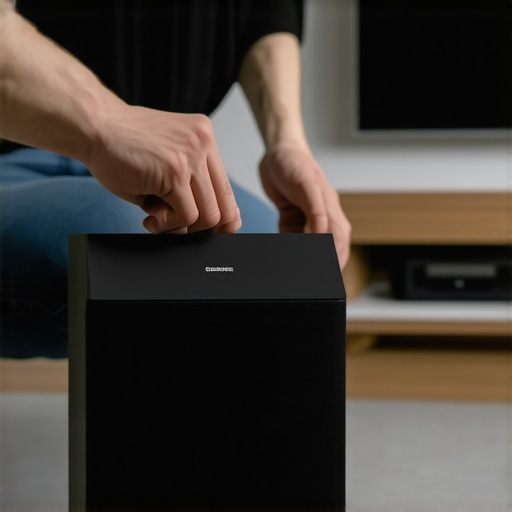
Implementing these steps requires patience, but they are highly effective. Remember, the goal is to create a clear, interference-free pathway for your wireless signal, much like tuning a delicate instrument for perfect harmony. For more advanced setups, exploring innovations in Dolby Atmos soundbar technology can further elevate your experience—see how recent Dolby Atmos enhancements can complement these fixes.
Many audiophiles invest heavily in Dolby Atmos soundbars and surround systems, expecting groundbreaking home theater experiences. However, a common myth is that upgrading to the latest tech guarantees cinematic sound quality. In my experience, the real secret lies in understanding the nuanced setup and room acoustics. For example, many assume that the placement of upward-firing speakers automatically creates realistic height effects. Yet, according to acoustic experts, room reflections, ceiling height, and even furniture layout significantly influence Atmos performance—so positioning matters more than the hardware specs alone. Moreover, people often overlook the importance of calibrating their systems properly, using built-in room correction features to optimize sound distribution. Failing to do so can result in flat, lifeless audio, negating the benefits of premium equipment. A common trap is thinking that surround sound is about having more speakers, but in reality, a well-placed, calibrated two-channel setup can outperform a cluttered, poorly configured system. For those seeking deeper insights, I recommend exploring Dolby Atmos innovations, as recent improvements can truly elevate home theater experiences—see how for yourself at this link.
Surprisingly, many users believe that wireless subwoofers inherently suffer from latency and static, but the truth is, proper wireless setup can minimize issues—if you avoid common pitfalls. For instance, placing your wireless sub too far from the receiver or nearby interference sources can cause dropouts, despite high-quality components. Additionally, many assume that all soundbars automatically support native Dolby Atmos or surround configurations, but check the specifications carefully. Some models promise immersive sound but lack actual upward-firing drivers or room calibration features, making the experience underwhelming. A crucial nuance is understanding that the perceived quality of surround sound depends heavily on room acoustics, calibration, and even furniture arrangement. Simply purchasing a high-end soundbar won’t compensate for poor placement—a lesson I learned after experimenting with different configurations.
**Ever wondered whether your setup is truly optimized for Dolby Atmos?** Advanced users should consider testing different speaker placements, ceiling treatments, and calibration settings to unlock their system’s full potential. Research indicates that proper acoustic treatment enhances immersion and clarity, especially in challenging rooms—a point emphasized by audio engineers. Don’t fall for the misconception that hardware alone defines your experience; instead, mastering setup and room interaction is key. Want to dive deeper into mastering your sound system? Check out the latest [Dolby Atmos innovations](https://soundbars.premiumsounddeals.com/dolby-atmos-soundbar-innovations-elevate-your-home-theater-experience) and discover how small adjustments can make a big difference. Have you ever fallen into this trap? Let me know in the comments.
How do I keep my soundbar and wireless subwoofer performing at their best over time?
Regular maintenance of your audio equipment is vital to ensuring sustained performance and avoiding costly repairs down the line. Personally, I swear by establishing a routine of cleaning and software updates. Dust and debris can accumulate on vents, ports, and even within the grille of your soundbar or subwoofer, potentially impacting sound quality and causing overheating. A soft, microfiber cloth and compressed air are effective tools I use monthly to keep the hardware spotless. Additionally, firmware updates are crucial; soundbar manufacturers often release patches that improve stability, add features, or enhance compatibility, which can significantly prevent static, lag, or connection issues. I make it a habit to check for updates quarterly via the manufacturer’s official app or website, a step that routinely keeps my system running smoothly and extends its lifespan.
Beyond cleaning and updates, monitoring the physical connections is essential. Loose or corroded cables can introduce noise or cause intermittent audio. For instance, I replaced temporary cables with premium, shielded ones, which noticeably reduced static and improved overall clarity. Moreover, optimizing placement periodically can prevent issues caused by environmental shifts, like furniture rearrangements or new electronic devices in the vicinity.
What tools really help me keep my home theater setup in top shape?
Investing in quality tools simplifies maintenance considerably. A small, handheld RF signal analyzer can identify interference sources and verify signal strength, helping to fine-tune placement without guesswork. For example, I used mine to reposition my Wi-Fi router and firmware updater, which drastically minimized static and lag in my Dolby Atmos system. A laser measure allows precise measurement of distances and angles when repositioning speakers for optimal sound distribution, ensuring your setup maintains an immersive experience long term. Calibration microphones are also worth considering; they connect to dedicated software that analyzes room acoustics, helping you fine-tune EQ settings and speaker placement to sustain optimal audio quality over the years.
Predicting the future of Dolby Atmos maintenance and setup
As technology advances, expect more intelligent calibration tools and integrated AI that automatically optimize your system based on room acoustics and interference patterns. In the next few years, software that continuously adapts to environmental changes will become standard, reducing manual intervention and enhancing reliability. Plus, firmware updates are likely to become more seamless, delivering improvements over-the-air without user effort, much like smartphones today. Staying proactive now—regular cleaning, calibration, and firmware checks—positions you ahead in the evolution of home theater management.
How do I maintain my Dolby Atmos system for years to come?
Consistency is key. Make it a habit to schedule quarterly check-ups: clean components, update firmware, and verify connections. Use quality tools like RF analyzers and calibration microphones to ensure your environment remains optimal. The right maintenance routine will preserve your investment and keep your system sounding pristine, whether you’re enjoying immersive movies or gaming marathons. For more detailed insights on calibration techniques, explore latest Dolby Atmos innovations and discover how small upgrades can make a big difference. If you’re ready to take your setup further, try incorporating an advanced calibration microphone and see how remarkably your sound improves—this is a step that pays off over time.
Lessons that Changed How I Tame Wireless Interference
One of the most eye-opening realizations I had was that static and dropouts often stem from simple placement mistakes rather than faulty hardware. Moving my sub closer to the receiver and avoiding electrical clutter made an immediate difference. Another insight was how minor firmware updates can resolve persistent crackles, confirming that staying current with manufacturer releases is crucial. I also learned to recognize interference sources like routers, phones, or even microwave ovens, which I now keep at bay or switch channels to mitigate static. Lastly, I discovered that room characteristics significantly influence sound quality—proper calibration and acoustic treatment can elevate your Atmos setup beyond hardware investments.
Tools and Resources That Revamped My Setup
To keep my Dolby Atmos system performing at its peak, I rely on a few trusted tools. A handheld RF signal analyzer helps me identify interference hotspots and optimize placement, ensuring a crystal-clear connection. Calibration microphones and dedicated software allow me to fine-tune speaker angles and EQ settings for my room’s unique acoustics, transforming good sound into exceptional. My go-to resource is the latest [Dolby Atmos innovations](https://soundbars.premiumsounddeals.com/dolby-atmos-soundbar-innovations-elevate-your-home-theater-experience), which keep me informed on upgrades that matter. For ongoing tips and deals, I also follow trusted audiophile forums and manufacturer updates, helping me anticipate and prevent issues before they occur.
Your Next Steps Toward Immersive Sound
Embracing these insights unlocks your Dolby Atmos system’s full potential and guarantees an immersive experience that lasts. The future holds smarter, adaptive calibration tools and AI-driven updates that will make setup and maintenance effortless. Start now by re-examining your speaker placement, updating firmware, and exploring calibration options—you’ll be amazed at how small tweaks yield big results. Remember, consistent care and curiosity are your allies in creating a home theater that’s both powerful and reliable. Dive into the latest [soundbar deals](https://soundbars.premiumsounddeals.com/soundbar-deals-you-cant-miss-unlock-premium-audio-savings) to upgrade thoughtfully, ensuring every dollar enhances your audio adventure. What’s the first change you’re excited to try in your home theater setup? Drop your thoughts below and let’s elevate our audio experiences together!

Leave a Reply