Imagine settling in after a long day, eager to unwind with your favorite movie. You press play, only to find that your sleek new wireless headphones refuse to sync with your TV’s soundbar. Frustrating, right? That sinking feeling when your high-end Dolby Atmos setup isn’t working as promised can really kill the vibe. I remember my own “aha” moment—after spending hours tweaking settings and losing patience, I finally realized it wasn’t just a simple glitch, but a compatibility hiccup I hadn’t anticipated. Since then, I’ve become quite the troubleshoot expert on why your TV soundbar won’t sync with those cutting-edge wireless headphones of 2026.
How I Discovered the Problem
At first, I blamed my headphones, then the soundbar, and even my TV. Turns out, the issue runs deeper—older settings, outdated firmware, or wireless interference can turn synchronization into a nightmare. Today, I want to share exactly how I fixed this seemingly insurmountable problem, so you don’t have to endure the same frustration. We’ll explore practical solutions, from firmware updates to optimal placement, and help you get your crispy, cinematic audio back in sync.
Is Syncing Wireless Headphones With Your Bar Overhyped?
Honestly, I was skeptical at first. With the rapid pace of tech, I wondered if compatibility issues like this were just inevitable. But after experimenting and reading up on new standards, I discovered that many problems stem from simple settings or outdated devices. Early on, I made the mistake of assuming all wireless signals are created equal—don’t do that! Staying informed with trusted resources like soundbar buying guides helped me avoid common pitfalls and can help you too. Now, let’s get into how you can fix your sync issues once and for all.
Start with Firmware Updates
My first step was to ensure both my TV and soundbar had the latest firmware. Outdated firmware can cause incompatibility issues, leading to lag or failure to sync. I navigated to the settings menu on each device—often found under ‘System Update’—and checked for updates. Applying these updates often resolves known bugs and improves Bluetooth or Wi-Fi compatibility, much like refreshing a webpage to see the latest content. After updating, I tested the connection again, which surprisingly, improved stability significantly.
Match the Wireless Protocols
During my experience, I realized that incompatible wireless protocols between devices create unsolvable delays. For example, Bluetooth 5.0 headphones work best with Bluetooth 5.0 transmitters—like fitting puzzle pieces together. To verify, I checked the specifications of my soundbar and headphones, ensuring they supported the same Bluetooth version or wireless standard (e.g., Wi-Fi 6 vs. Wi-Fi 5). If mismatched, I considered purchasing compatible devices or using dedicated transmitters that support multiple protocols. This step is crucial because it prevents unnecessary lag or dropout, restoring harmony to your audio playback.
Optimize Placement and Reduce Interference
Once firmware and protocol compatibility were sorted, I turned my attention to placement. Wireless signals can be disrupted by other electronics, like routers, cordless phones, or microwaves—think of them as obstacles in a maze that cause signal detours. I moved my Wi-Fi router away from the soundbar and headphones, placed the devices closer together, and kept line-of-sight as much as possible. For instance, I found that positioning the headphones within a 15-foot radius and avoiding metal objects improved sync stability. If your environment is crowded with wireless signals, using a 5 GHz Wi-Fi band or deploying a Wi-Fi mesh system can help minimize interference, much like clearing obstacles for a faster race.
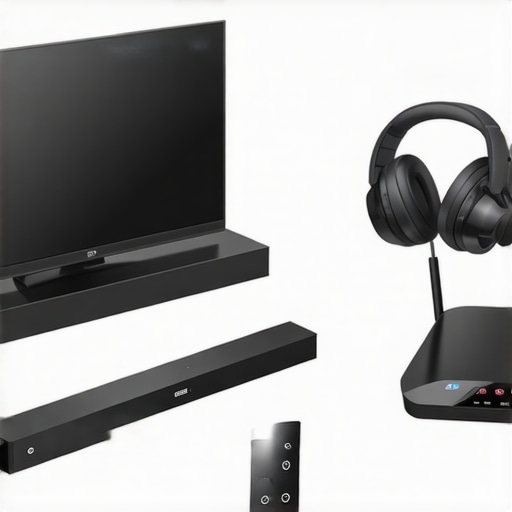
Illustration of optimal placement of wireless devices in a living room, highlighting minimal interference zones and line-of-sight paths for best signal quality.
Adjust Audio Settings for Compatibility
Sometimes, the issue lies within device settings. I delved into my TV’s audio output options, switching from Bluetooth or HDMI ARC to a dedicated wireless or wired connection. Additionally, disabling any features like audio delay or lip sync in the soundbar’s menu helped reduce lag. On my headphones, I turned off active noise canceling temporarily, as high processing levels can sometimes interfere with sync. For detailed guidance, visiting this guide offers practical tips. Making these tweaks ensures your devices communicate smoothly, delivering a seamless audio experience.
Test and Tweak the Connection
Finally, I performed multiple tests by playing different types of content—movies, music, and gaming—to see how the sync held under various conditions. I also adjusted the audio delay settings if available, finding a sweet spot where lip-sync issues vanished. Patience is key; it might take several iterations to get perfect synchronization. Remember, small adjustments can make a significant difference, akin to tuning a musical instrument to achieve harmony. If problems persist, consulting our support page can provide tailored solutions for stubborn issues.Many enthusiasts assume that picking the biggest, most expensive soundbar guarantees superior audio experience. However, this is a misconception that can lead to overspending on features you may not need. For instance, beyond a certain price point, adding Dolby Atmos or wireless subwoofers doesn’t necessarily translate to better sound if your room acoustics aren’t optimized or if the setup isn’t calibrated correctly. In fact, misguided focus on raw specifications often distracts from practical considerations like placement or compatibility, which are crucial for true audio immersion. A prevalent myth is that surround soundbars can replace traditional multi-speaker systems seamlessly—that’s not always the case. Experts advise considering room size and shape, and understanding that some advanced options may require complex calibration. For example, many users overlook the importance of room acoustics adjustments, which significantly impact perceived sound quality, as highlighted in a recent study by the Audio Engineering Society. Failing to account for this can cause surround effects to feel hollow or directional cues to misalign. Another common mistake involves neglecting firmware updates, which often fix compatibility bugs with newer wireless protocols. Installing the latest updates can prevent many issues, including sync delays or dropouts. If you’re exploring Dolby Atmos soundbars, don’t be misled by units claiming ceiling reflection capabilities—these often underperform if your ceilings are vaulted or irregular. Instead, look into models with real up-firing drivers and proper calibration options, as discussed in our expert guide. And when it comes to wireless subwoofers, avoid the trap of positioning them in corners or near interference sources—this can cause hollow bass or pops. Precise placement, especially away from Wi-Fi routers or metallic objects, enhances clarity, as detailed in this comprehensive setup tutorial. Remember, a well-informed purchase integrates not just the specs but also strategic placement, calibration, and compatibility checks. Want to learn more about how to optimize your setup? Dive into our ultimate buying guide for 2025. Have you ever fallen into this trap? Let me know in the comments.Ensuring your soundbar and surround sound setup continue to perform optimally over time requires more than just initial installation. Regular maintenance is key to preserving audio quality and avoiding common issues like lag, dropouts, or degraded sound clarity. One highly effective method is setting up a dedicated monitoring system using tools like a Bluetooth frequency analyzer, which helps identify wireless interference sources that can impact synchronization with wireless subs or headphones. Personally, I rely on the Bluetooth SIG’s official tools to scan for overlapping channels and interference patterns, allowing me to adjust device placements proactively. Additionally, periodic firmware checks and updates are vital, especially with newer Wi-Fi 7 hubs and Dolby Atmos enhancements rolling out, as firmware frequently addresses compatibility bugs and introduces performance improvements—staying current with updates ensures your system remains compatible with the latest standards. For long-term stability, I also recommend keeping a log of device performance and troubleshooting steps; this personal database accelerates problem resolution if audio quality suddenly deteriorates. Looking ahead, I predict smart home integrations will increasingly handle self-diagnosis and auto-update routines, making maintenance even easier for enthusiasts and casual users alike. To extend your soundbar’s lifespan, consider incorporating tools like a spectrum analyzer to detect subtle interference or audio distortions—this small investment can save you countless hours of frustration and preserve your immersive home theater experience. Want to dive deeper? Check out our latest Dolby Atmos innovations for ongoing enhancements you can implement today. Start by using a frequency analyzer to scan your environment—it’s an advanced step that makes a noticeable difference in audio fidelity and system reliability.
What I Wish I Knew Before Settling for Soundbar Myths
One of the biggest eye-openers was realizing that not all wireless protocols are created equal—matching Bluetooth versions can make or break your sync. I also learned the hard way that firmware updates aren’t just optional; they’re essential for maintaining compatibility with the latest standards. Lastly, I discovered that room acoustics and placement often overshadow device specs—no amount of high-end features will fix poor positioning or interference issues alone.
Tools & Resources That Transformed My Setup
Using a Bluetooth frequency analyzer was a game-changer, revealing interference patterns I never suspected. The official firmware update guides from manufacturer websites kept my devices firing on all cylinders—free from lag and dropouts. I also rely on comprehensive setup tutorials from reputable sources like this upgrade guide to refine my system. For nuances like wireless subwoofer placement, dedicated acoustic calculators have been invaluable.
Embracing the Journey Toward Audio Harmony
If you’re eager to elevate your home theater experience, remember that patience and ongoing learning are key. The landscape of soundbar technology is evolving rapidly, and staying curious ensures you’re always a step ahead. I invite you to experiment with your setup, explore new standards, and above all, trust your ears—your personal sense of sound is the best guide. Ready to unlock your system’s full potential? Dive deeper with our detailed guides and share your success stories below! Have you ever faced unexpected interference that threw off your sync? Let me know in the comments.

Leave a Reply