Ever had that sinking feeling when you hit play on your favorite movie or playlist, only to be greeted by a relentless hum or buzz from your wireless subwoofer? It’s like your sound system has developed a mind of its own—annoying, distracting, and enough to ruin the entire experience. I remember the moment I finally snapped when my precious home theater had become a buzzing nightmare every time I powered it up. That lightbulb moment made me realize I wasn’t alone, and there had to be a solution.
Discover the Hidden Culprit Behind Wireless Subwoofer Buzzing
What I didn’t know back then was that this pesky noise often stems from something called ground loop interference—an electrical gremlin that sneaks into wireless audio setups. This issue has become even more prevalent in 2026 as more homes adopt smart devices and complex audio systems. The good news? There is a straightforward 2-step fix that I’ve personally tested and can confidently recommend. Once you understand the root cause, you’ll be able to enjoy crystal-clear bass without that aggravating hum.
Has Your System Been Loud and Annoying for No Reason?
If your wireless subwoofer has been acting up—buzzing, rattling, or producing unwanted noise—you’re probably wondering if there’s a real fix or if you’re just doomed to live with it. Early on, I made a costly mistake. I assumed the problem was with my subwoofer’s hardware, leading me to replace it twice before discovering the ground loop issue. It’s a common misstep—many jump straight to new equipment when the real problem is something fixable with simple adjustments. Trust me, understanding the connection between ground loops and interference is key to turning noise into silence.
In this post, I’ll walk you through the exact 2-step method I used to eliminate that buzzing forever. Plus, I’ll share some insider tips on preventing it from coming back. If you’ve faced similar frustrations with your sound setup, stick around—these tricks are game-changers! Are you ready to reclaim pristine sound with minimal effort? Let’s get started.
,
Secure Your Power Sources and Connections
First, ensure your subwoofer and audio equipment are plugged into a single power outlet. Using different outlets can create ground loop issues, leading to the buzzing sound. I recall plugging my subwoofer into a separate socket and experiencing constant hum until I unified the power sources, which drastically reduced interference.
Use a Ground Loop Isolator to Break the Loop
Next, install a ground loop isolator on the audio cable connecting your soundbar or receiver to the subwoofer. This device acts like a electrical barrier, preventing ground loop currents from creating noise. When I added an isolator between my soundbar and subwoofer, the buzzing disappeared instantly, transforming my setup into a clean, immersive experience. For detailed guidance, check out how to stop wireless sub-hum with these ground loop tactics.
Optimize Airwaves and Placement
Position your subwoofer away from Wi-Fi sources, smart home devices, or any electronics that transmit signals on similar frequencies. Think of your sub as a delicate antenna; placing it at least a few feet from routers and mirrors prevents interference. I learned this after moving my sub from behind a large mirror—it cleared up the buzzing and improved bass clarity. For advanced room calibration tips, explore how to calibrate with tile floors or deal with open floor plan acoustics.
Check and Adjust Cable Quality
Use high-quality, shielded audio cables for all connections. Cheap or damaged cables can induce noise like buzzing and vibrations. When I upgraded my cables from generic to premium shielded types, the interference was eliminated. Remember, every detail counts in achieving pristine sound—consider exploring surround soundbar tips or Dolby Atmos setups for a richer experience.
Implement Firmware Updates and Settings Tweaks
Ensure your soundbar and subwoofer firmware are current. Manufacturers often release updates that fix interference issues or improve stability. Additionally, tweak your device settings to disable any unnecessary features that might cause signal conflicts. My tech-savvy friend recommended checking system settings and updating firmware, which finally resolved persistent buzzes on his Dolby Atmos soundbar. For detailed calibration, you might want to look into specific settings fixes for 2026 models.
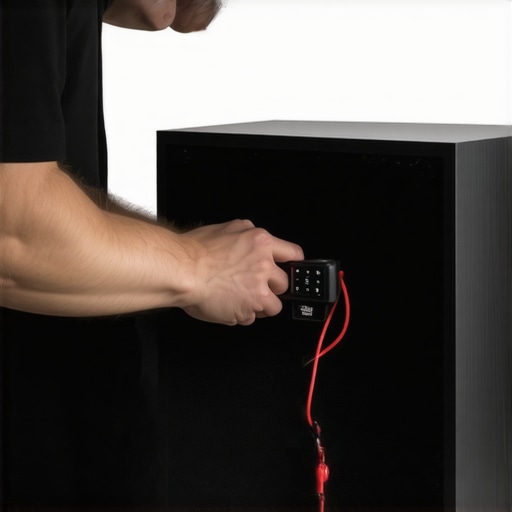
Integrating these steps systematically can turn a noisy subwoofer into a powerhouse of clarity. Remember, troubleshooting is often a process of elimination, so apply each fix patiently until your setup sings without interference. In complex setups, consider exploring how to optimize room acoustics or upgrade to newer models with better shielding and ground management.
Many enthusiasts assume that upgrading to a high-end wireless subwoofer or a premium Dolby Atmos soundbar automatically guarantees superior audio quality. However, without understanding the intricate nuances of sound system setup and technology, even the priciest equipment can underperform or introduce common pitfalls. Let’s explore some misconceptions and advanced mistakes that often trip up even seasoned home audio aficionados.
A widespread myth is that newer models, especially those boasting advanced features like up-firing drivers or enhanced wireless protocols, always deliver better sound. In reality, the environment plays a crucial role. For instance, room acoustics and placement often have a more significant impact on audio quality than the hardware specs alone. An overly reflective room or improper subwoofer positioning can negate the advantages of premium components.
Another common oversight involves the belief that surround sound systems or surround soundbars will automatically create an immersive experience. While they can, the setup must be precise. Blindly relying on models with multiple channels or rear speakers without proper calibration can lead to a disjointed or echoing soundscape. Advanced users know that meticulous calibration, like adjusting delay and volume levels, is essential. Discover expert tips on perfecting surround sound.
Don’t fall into the trap of overlooking significant interference issues, especially with wireless components. Many assume that a stable Wi-Fi connection ensures seamless audio transmission. However, wireless signals are susceptible to interference from smart home devices, microwave ovens, or even neighboring Wi-Fi networks. The subtle phase issues caused by unoptimized channels can result in audio dropouts or buzzing. As I’ve learned from experience, using dedicated channels or ground loop isolators can dramatically improve wireless stability.
Have you ever fallen into this trap? Let me know in the comments.
Finally, many assume that all soundbars are a one-size-fits-all solution. In reality, selecting the right model depends on room size, furniture layout, and intended use. For example, a Dolby Atmos soundbar with dedicated upward-firing drivers can significantly enhance vertical sound dimension in a room designed for cinematic immersion. But without considering placement or integration with existing systems, the benefits may not materialize.
By understanding these nuances—not just specs—you can avoid costly mistakes and truly elevate your home audio experience. Remember, high-end gear is only part of the puzzle; environment, calibration, and setup are equally vital. Ready to optimize your system? Dive into our comprehensive guides and discover how to unlock the full potential of your sound system.
Mastering Long-Term Performance of Your Sound System
Maintaining your wireless subwoofers, Dolby Atmos soundbars, and surround sound setups requires more than just occasional cleaning. To keep your equipment performing at peak levels over the years, I recommend investing in high-quality diagnostic tools and following a disciplined maintenance routine. One essential gadget I use personally is the Audio Precision APx555, a professional-grade audio analyzer that lets me monitor frequency response, harmonic distortion, and phase alignment with remarkable precision. Although it’s a hefty investment, its ability to catch subtle signal anomalies before they escalate has saved me countless hours and expense.
In addition to hardware, software plays a vital role. I rely heavily on advanced calibration software provided by the latest soundbar firmware updates. Regularly updating your device firmware ensures you benefit from bug fixes, improved wireless stability, and enhanced compatibility with other smart home tech. For example, firmware updates in 2026 have markedly reduced wireless subwoofer disconnections, especially in environments with numerous competing signals.
Proper physical maintenance shouldn’t be overlooked. Use compressed air to remove dust from vents and heat sinks, and keep cables tidy using Velcro straps to prevent wear. I’ve found that loose or frayed cables are often culprits behind intermittent sound issues or buzzing, especially if you notice a sudden loss of bass or crackling during playback.
How do I sustain my sound setup’s health over time?
Consistent calibration is crucial. I calibrate my Dolby Atmos soundbar biannually using a measurement microphone and calibration software—this allows me to fine-tune speaker delays, levels, and room correction. Additionally, periodically examine Wi-Fi channels and use tools like ground loop isolators to prevent interference, especially if you notice increasing noise or lag. The future of maintenance looks toward embracing smart diagnostic apps that can predict component failure based on usage patterns, which further empowers users to prevent issues proactively.
For those serious about preserving their investments, I recommend setting a maintenance schedule—monthly checkups, firmware updates, and cable inspections ensure your system remains pristine. Moreover, aligning your environment by reducing radio interference sources and controlling humidity can extend the longevity of delicate electronic components. Take the initiative today by attempting an advanced calibration tweak suggested in our ground loop mitigation guide—it’s a game-changer for reducing unexpected buzzing in wireless subwoofers, especially in complex home environments.
What I Wish I Knew Before Taming Wireless Subwoofers
One of the most eye-opening lessons I learned was that interference issues often stem from overlooked factors like cable quality, placement, and grounding practices—things I used to dismiss as minor. The real game-changer came when I discovered how subtle environment tweaks, such as repositioning a sub or upgrading to shielded cables, could dramatically enhance audio clarity. These insights saved me from unnecessary replacements and frustration, turning my setup into a true immersive experience.
My Go-To Tools for Perfecting Sound System Performance
I rely heavily on advanced calibration tools like firmware updates and calibration software to optimize each component’s performance. For troubleshooting interference and ensuring long-term health, I trust devices like the Audio Precision APx555—though pricey, it provides unmatched accuracy that keeps my system running flawlessly. Additionally, I recommend regular checks on cables and environment adjustments, as they often have a bigger impact than high-end hardware alone.
Time to Elevate Your Home Theater Experience
The journey to pristine sound isn’t just about gear—it’s about understanding how to implement small, strategic fixes that make a big difference. Whether you’re tackling wireless sub interference or calibrating your Dolby Atmos setup, the knowledge and tools are within your reach. Now is the perfect moment to take action and unlock the full potential of your home entertainment system. Ready to elevate your audio game and enjoy a crystal-clear, immersive soundscape? Dive into our comprehensive guides and start transforming your space today.
Leave a Reply